Can I add a scoreboard to a video I already recorded?
Yes. Open the video in Sports Editing and add the score events while watching it. Record a Match is a separate way to capture new footage and score events together.
 Sports Edit
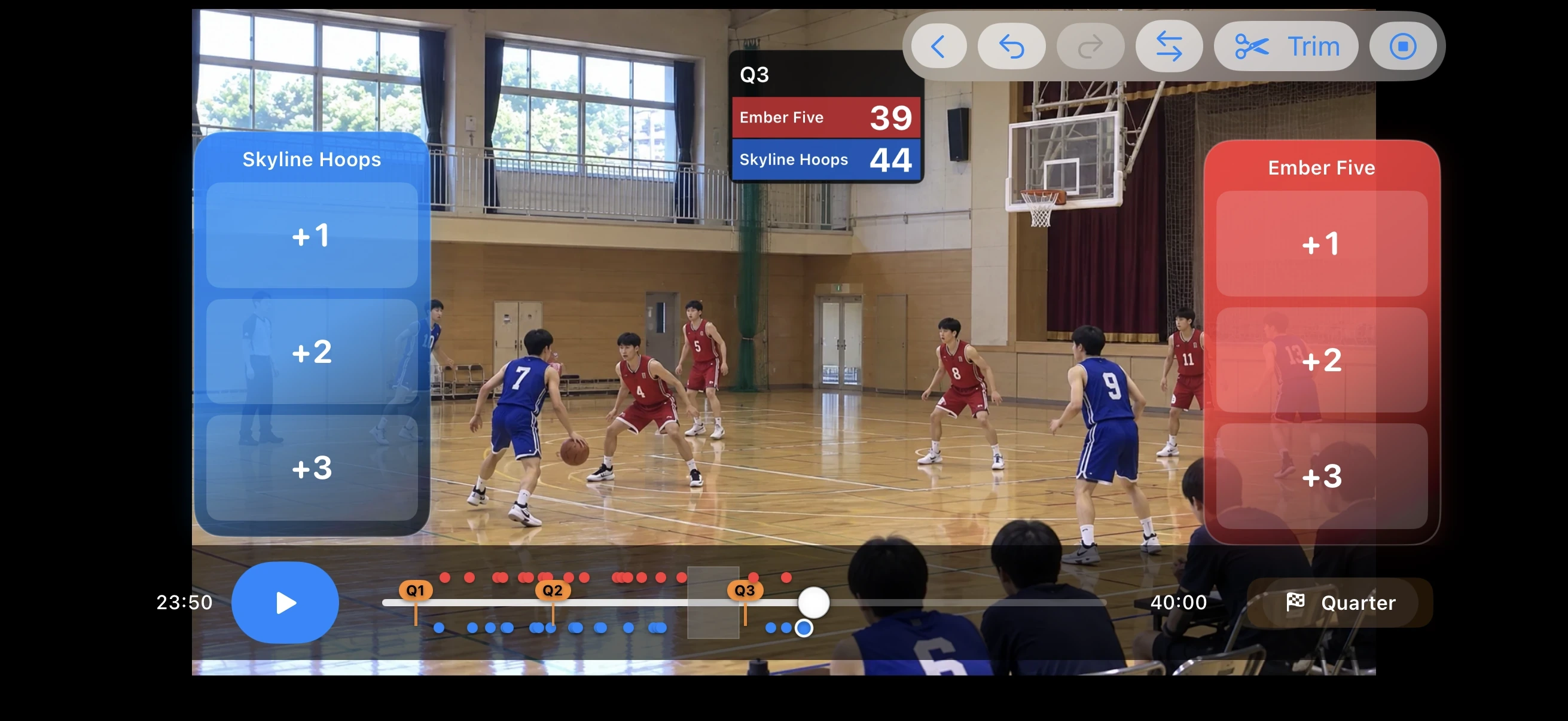
Add +1, +2 or +3 at the moment a team scores. Mark period changes, correct a missed entry and finish with a full game or a highlight reel.
Choose Sports Editing and Basketball, then select the game video from Photos. Set the team names and match information.
Scrub the timeline to the play. Use ROUGH / FINE seeking to move broadly, then place the playhead more precisely.
Each tap records the points at the current video time. The scoreboard follows those events as the video plays.
Open Settings, then Edit Score Events. Select the event time to revisit the play. Adjust its time, change the team or remove the mistaken event; add the correct points at the playhead when necessary.
Period markers are tied to video time, so first find the actual transition.
Choose the quarter or OT. Mark END at the end of the match.
The app keeps period markers in chronological order. A marker that is already registered is shown as set; use its cancellation action before recording it at a different time.
You enter the points and period changes while watching the game, or while recording it in Record a Match. This is useful for an existing recording as well as a match you are filming now.
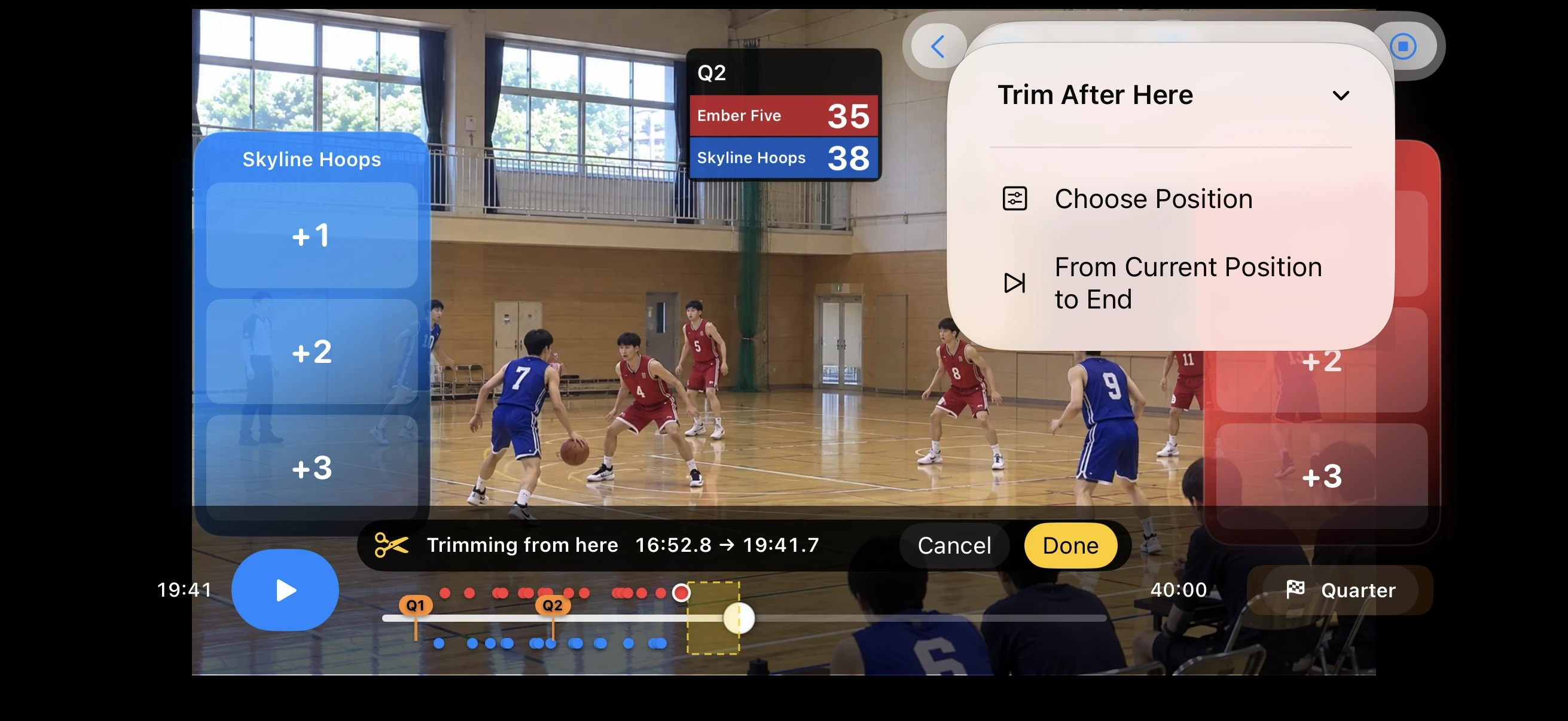
Use the scissors control to exclude waiting before or after the game, or unwanted sections within it. Review the cut boundaries before confirming.
At a good play, tap the star to add a highlight. Adjust its start and end with ROUGH / FINE, then finish the range. Repeat for other plays.
When highlights exist, the export screen offers the full video, highlights only, or the full video with highlights appended. Preview the title card and your result before exporting.
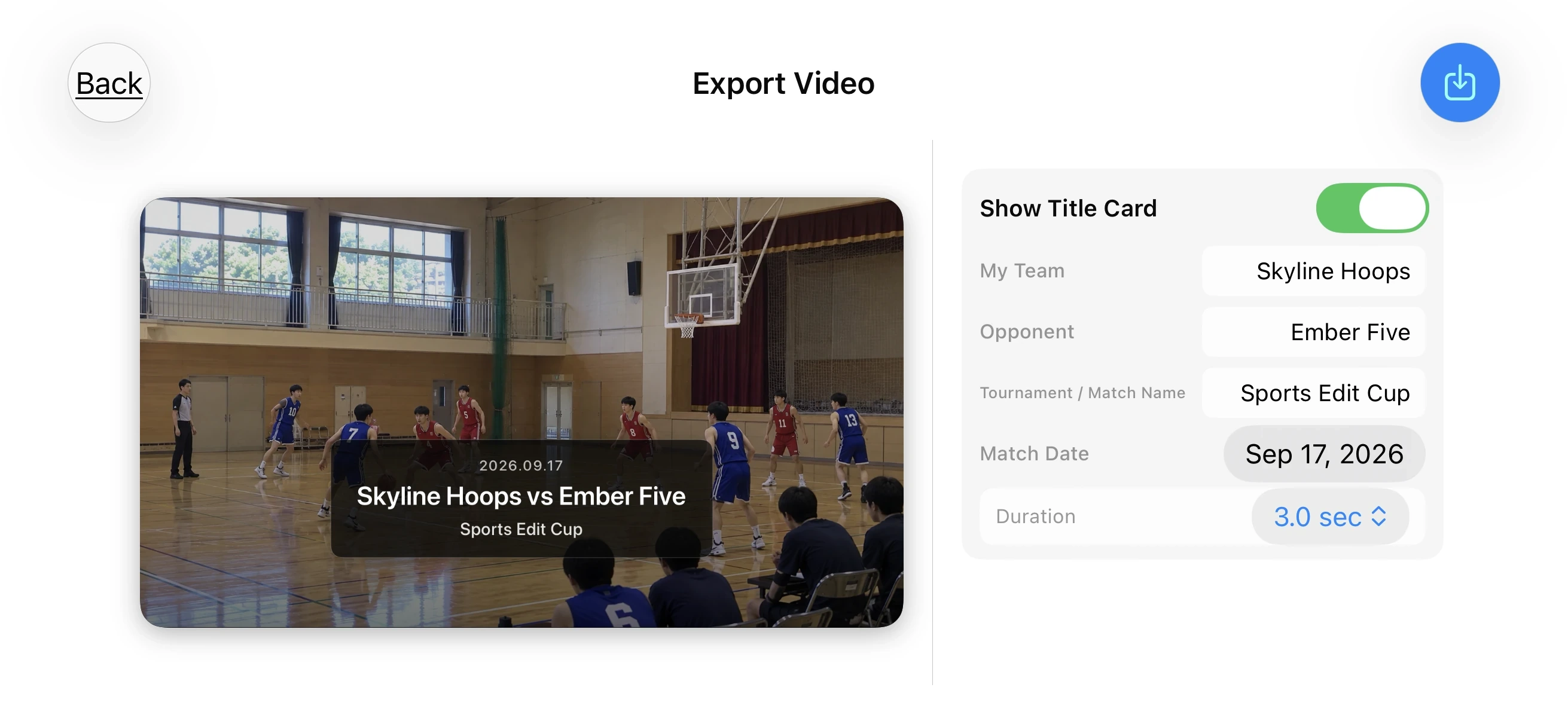
You can try one sports-video export. Further sports-video exports require the one-time Sports Edit Pro purchase, which unlocks unlimited exports and removes ads. Standalone title-card exports can be used repeatedly. Check the current price in the App Store.
Yes. Open the video in Sports Editing and add the score events while watching it. Record a Match is a separate way to capture new footage and score events together.
No. The original in Photos is retained. The edited result is exported as a separate video.