 Sports Edit
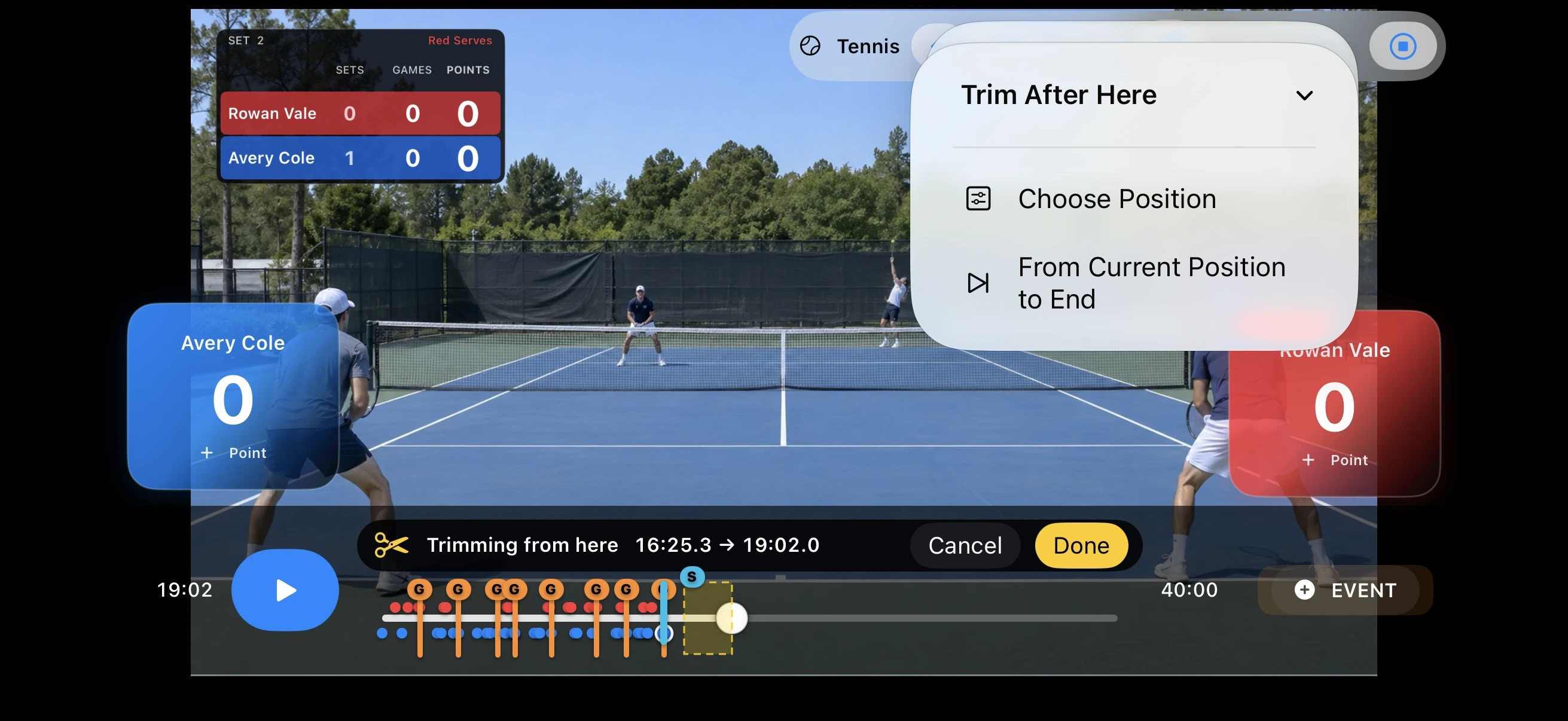
How to trim a Tennis match video
Remove pre-match, post-match and other unwanted sections while keeping the original untouched.
Tennis
0 / 15 / 30 / 40 / DEUCE / AD / GAME / SET / TB
Simple workflow
- Open Sports Edit and choose the recorded match video.
- Choose Tennis and set the match information you need.
- Play the video and add scoring events or set the trim range at the correct moments.
- Preview the result and export the finished video.
Useful tips
- Keep team names short enough to stay readable.
- Review scoring moments on the timeline before export.
- Trim long unused sections before final checking.
FAQ
Is this a live-streaming app?
No. Sports Edit edits match videos after they have been recorded.
Does it replace my original video?
No. The original video in Photos is not overwritten.
Related guides
How to add a Tennis scoreboard to video
Add the score at the right moments so recorded match footage is easier to follow.
How to add a title card to a Tennis video
Give viewers context with team names and match information before the video begins.
How to show Tennis scoring and match progress
Use sport-specific controls so the score display follows the rules of the sport.